Event feedback: ratings, surveys, questions and voting
Feedback in MConference is a set of tools to collect opinions and engage the audience: talk ratings from 1 to 5, a feedback form on the organisation, surveys, questions to speakers, speakers' questions to the audience with results on screen, and voting. Attendees answer in the mobile app, on the event website or by scanning a QR code.
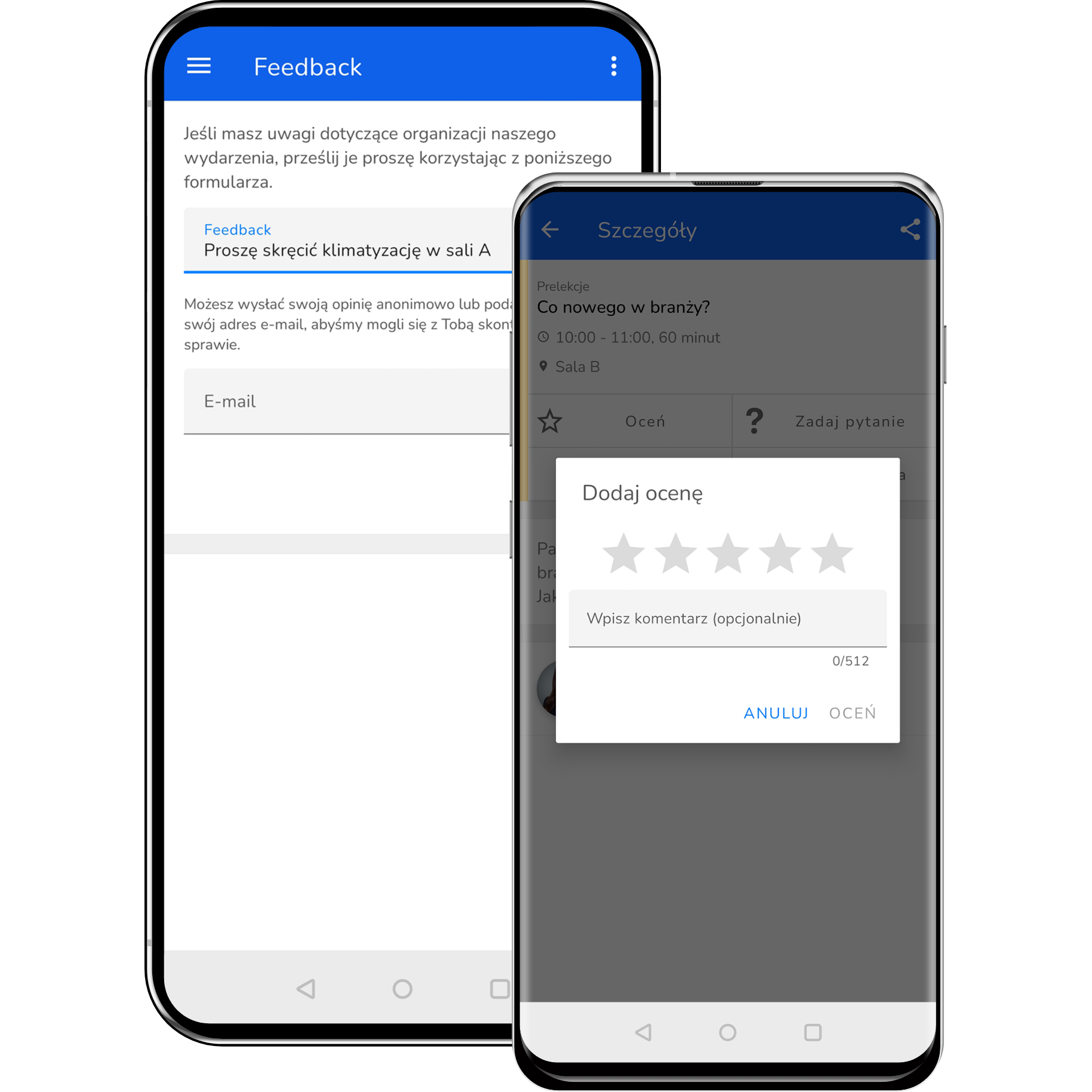
Talk ratings
Attendees rate every talk from 1 to 5 and can add a comment. You learn which speakers did best, which topics were most interesting and where to take the next edition of the event.
Opinions on the organisation
In the feedback form, attendees rate the organisation of the event, both technical and content-wise. They send it anonymously or with an email address, so that you can contact the author and talk through the details. Attendees can also report problems as they happen, such as air conditioning that does not work, and you react before they spoil the whole event.
Surveys
Use surveys to collect opinions on parts of the event: topics, venue, meals, sound system, transport or the networking party. You prepare them in advance, and attendees fill them in during breaks, in the app or on the website. A survey can have single and multiple choice questions, a scale and open questions, and you can remind those who have not answered with a notification. More: surveys for event attendees.
Questions to speakers
Attendees do not wait for the microphone: they pick a talk, type a question and send it with one tap. You can switch on moderation by the organiser or the speaker, let attendees vote on each other's questions and show the questions on the projector screen. The same features work in live streams, so online attendees can ask too. Details: questions to speakers in the app.
Speakers' questions to the audience
A speaker can ask the audience a question as a short survey and show the results during the talk. You assign the survey to an agenda item in the panel and set when it is open, and you can notify attendees with a push message when it is published. Attendees answer in the app, on the website or by scanning the survey's QR code. The results appear on the projector screen as a bar chart, a list of open answers or a word cloud, in the event's colours and a light or dark theme. The speaker sees the results in the app, and the organiser downloads a summary report after the event.
Voting
Attendees choose the best entries from the ones you prepare, such as abstracts, posters, contest entries or team ideas. You set the voting period, the number of votes per person and the groups allowed to vote, for example the jury only. The system makes sure everyone gives each entry one vote at most. Details: voting in the event app.
Points for taking part: surveys and quizzes
Surveys can be part of gamification: attendees earn points for filling in, for example, a feedback survey, which encourages them to answer. The same module lets you prepare quizzes that appear automatically in the app or after scanning a QR code. You can place the QR codes at partners' stands or anywhere in the building, or even go outside and run a city game based on quizzes. Attendees also earn points for asking a speaker a question.
Frequently asked questions
Can attendees send feedback anonymously?
Yes. In the feedback form, attendees decide whether to give their email address. Anonymous feedback reaches the organiser like signed feedback, and an email address lets the organiser contact the author and ask for details, for example about a problem reported during the event.
How do I show survey results in the room?
You open the survey assigned to a talk at a separate link on the computer connected to the projector. Answers appear live as a bar chart, a list of open answers or a word cloud. You match the colours and theme to the event, and the presenter can change some settings live.
Can questions to speakers be moderated?
Yes. With moderation on, new questions wait for approval, and the speaker is notified about a question to approve. The organiser can accept or reject it in the panel, or the speaker in the app. Without moderation, questions are published at once.
Topic cluster
Feedback and interaction — guide and related resources
Start with the pillar page or continue to a related guide, feature overview or implementation story.
